Best Side-by-Side AI Comparison App for Daily Work
9/12/2026 · Chativo Editorial · 7 min read
The best side by side AI comparison app for daily work is the one that treats comparison as the default, not as a stunt. You type one prompt. ChatGPT, Claude, Perplexity, Gemini, and Grok stream together. You read the AI response comparison in place, then continue the thread with the model that actually did the job. Everything else — guest mode, projects, plans — exists to make that loop cheap enough to repeat on a Tuesday.
This is a product-led look at that loop. It is not a scoreboard of unpublished benchmarks. It is a checklist for parallel AI chat you can use while writing, researching, coding, or answering clients. Chativo, from MB Stack Company, is the workspace this article describes.
If you want the tutorial version of the layout, see how to compare AI models side by side. If you want the category around it, see best multi-model AI chat platform. For model-by-model context, keep ChatGPT vs Claude vs Gemini vs Grok vs Perplexity open.
Side by side AI comparison for daily work

Side by side AI comparison fails when it is only a screenshot generator. Daily work needs a path from five drafts to one conversation.
Chativo’s path is short:
- Send one message.
- Watch five replies stream.
- Select the model that fits the task.
- Keep talking on that thread.
That continue-with-winner step is the difference between a demo and a tool. Writers need follow-ups (“shorter, and drop the metaphor”). Developers need “now adapt this to our API.” Researchers need “challenge the weakest claim.” Parallel AI chat without a winner control dumps you back into copy-paste.
Compare these models on Chativo on a prompt you would otherwise send to one chatbot. See packages when you want Starter ($5), Plus ($10), or Pro ($20).
Streaming is how you actually read

Waiting for five complete answers before you can start reading trains you to skip comparison. Streaming is not a flourish. It is how AI response comparison fits in a real calendar.
As tokens arrive, you can:
- Disqualify a draft that ignored the constraint
- Notice which model is building a usable outline
- Start editing in your head while another model is still thinking
- Avoid staring at a spinner for the slowest reply
Chativo streams responses as they generate so you decide without waiting for every model to finish. Light and dark themes are there because you will sit in the compare view long enough to care.
If a side-by-side product only shows finished cards, it is closer to a report than to chat. Daily work is chat.
Continue with the winner, or the comparison was theatre
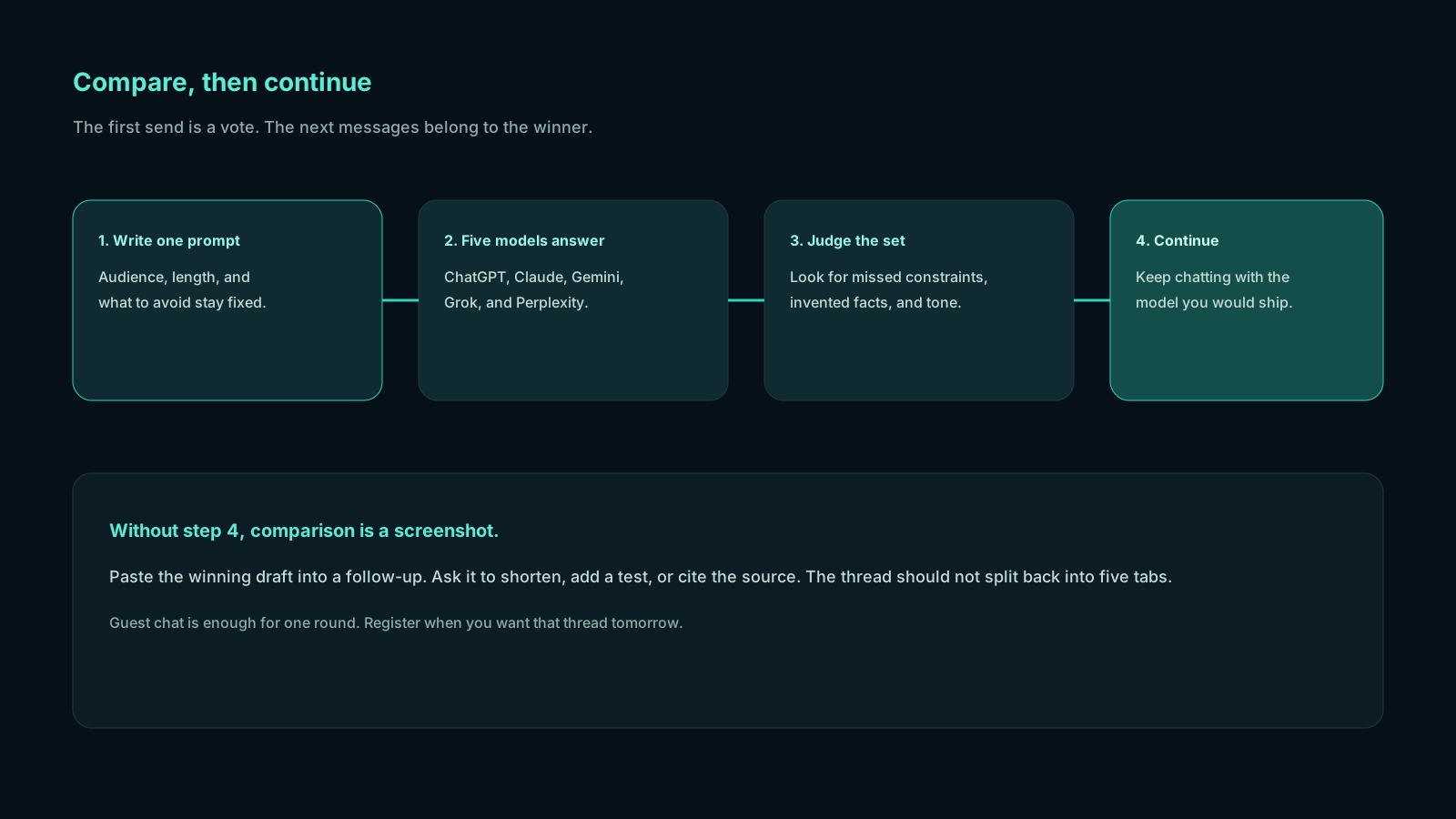
After you judge the columns, one model has to become the conversation. That is how parallel AI chat stays sane.
Continuing with the winner should:
- Carry the original prompt and the chosen reply as context
- Keep later turns on that model so tone and constraints hold
- Leave the other drafts visible enough that you remember why you picked this one, without forcing you to maintain five threads
You will still steal a phrase from second place. Do that in the winning thread, or in the document. Do not keep five follow-up chats alive. That is how side by side AI comparison turns back into tab chaos with nicer CSS.
Projects turn a trick into a workspace
A one-off compare is useful. A week of compares is a filing problem.
Projects group chats around a client, a repo, a course, or a campaign. When the same brief returns on Thursday, you should not hunt through a flat history. Chativo lets signed-in users create, rename, and organize projects. Guest mode cannot create projects, on purpose: anonymous sessions are for trying the compare, not for building a file system.
Register when you want history attached to you. Use projects when the work has a name. That is the same distinction you already make between a scratch pad and a folder.
Guest mode is the honest demo

Most comparison products ask for a card before you know whether the layout helps. Guest chat reverses that.
On Chativo you can start as a guest, send a real prompt, and see the five-model compare. Register when you want chats linked to an account. Guest limits exist so the product can stay available; when you hit them, create an account and keep going.
That sequence matches how people actually evaluate side by side AI comparison: they bring a prompt from work, not a slogan from a landing page.
What daily work looks like in the app
Email. You paste a tense note. ChatGPT gives you a clean structure. Claude protects the relationship. Grok is too sharp. Perplexity is the wrong tool unless a public fact is in dispute. You continue with Claude, then cut two sentences yourself.
Research. You ask what changed. Perplexity leads on sources. You still read ChatGPT and Claude so you do not ship a thin summary. You continue with the research-shaped winner until the claims are tight.
Code. Two implementations disagree about error handling. That disagreement is the review. You continue with the plan that matches your repo, then you run it outside the chat.
Content. You need an outline. You keep the heading stack from one model and the example from another, then continue on a single spine so the draft does not become a committee.
None of those sessions need a fake case study. They need streaming, an AI response comparison you can scan, and a winner you can talk to.
When you scan the columns, look for three things in order: constraint obedience, usable structure, then voice. A reply that ignores the length cap or invents a number is out, no matter how polished it sounds. A reply that nails the assignment but sounds unlike you can still be the winner if you will edit the opening. Side by side AI comparison is there to make that call visible in one screen. Parallel AI chat that hides the other drafts after you click is less useful; you want to remember why you picked this model when a teammate asks.
That scanning habit is what turns a pretty layout into daily work. Do it on the first prompt of the day, not on a canned demo.
Plans that match how often you compare
Chativo publishes three paid plans:
- Starter, $5 / month. Full five-model compare, chat history sync, email support. For light compare sessions.
- Plus, $10 / month. Everything in Starter, plus projects and organization, plus priority streaming. The daily-work default.
- Pro, $20 / month. Everything in Plus, with the highest usage allowance and a dedicated support lane. For power users and teams.
Pakistan checkout can run through Safepay when that provider is enabled. Guest chat remains the way in before you pick a plan.
See packages for the live checkout. Open the workspace if you would rather judge the product on a prompt than on a table.
How to judge any side-by-side app in ten minutes
Use this on Chativo or on anything else that claims parallel AI chat.
- Paste a prompt you would actually send today.
- Confirm every model received the same text.
- Watch whether streams are readable before they finish.
- Pick a winner and send a follow-up that depends on the first reply.
- Check whether guest mode let you do steps 1–4 without a lecture.
- Check whether projects exist for the work you would repeat.
If step 4 dumps you into a new empty chat, the app compared cards, not work. If step 2 is unclear, the AI response comparison is invalid. If step 5 is missing, you are buying a screenshot of a product.
The best side by side AI comparison app is the one that survives that test on a busy day. Chativo is built to survive it: five models, live streams, continue-with-winner, guest mode, and projects when you sign in.
Frequently asked questions
Straight answers to the questions this article usually raises. Each question is separate from its answer so you can scan on a phone or a desktop.
What should a side by side AI comparison app include?
A shared prompt, parallel streaming, an AI response comparison you can scan, a continue-with-winner control, guest mode to try it, and projects once you are signed in. Extra models do not help if those pieces are missing.
Is parallel AI chat different from opening two windows?
Yes. Two windows drift into two prompts. Parallel AI chat keeps the assignment identical and shows replies together. The product should then collapse back to one thread.
Do I need an account to try Chativo?
No. Guest chat is available so you can run a real prompt across ChatGPT, Claude, Perplexity, Gemini, and Grok. Register to keep history. Projects require sign-in.
Which plan is for daily work?
Plus at $10 per month is positioned for daily work: compare, history, projects, and priority streaming. Starter at $5 is for lighter use. Pro at $20 is for higher allowance and a dedicated support lane.
Does comparison replace my own review?
No. Side by side AI comparison is a review aid. You still check names, numbers, and code in the real world. The app’s job is to make disagreement visible before you send.
Related reading
- ChatGPT, Claude, Gemini, Grok, and Perplexity in One App
Run one prompt across ChatGPT, Claude, Gemini, Grok, and Perplexity in a single chat, then continue with the answer you actually want to use.
- What Is a Multi-LLM Chat Platform and Why Teams Are Switching
A multi-LLM chat platform runs several language models in one workspace so you can compare answers and continue with the one you trust. Here is what the category is, and why people use it.
- Best Multi-Model AI Chat Platform in 2026
The best multi-model AI chat setup is comparison-first: one prompt, five live answers from ChatGPT, Claude, Gemini, Grok, and Perplexity, then a follow-up with the model you choose.