How to Compare AI Models Side by Side Without Opening Five Tabs
8/7/2026 · Chativo Editorial · 8 min read
To compare AI models side by side, send the same prompt to ChatGPT, Claude, Gemini, Grok, and Perplexity in one view, then judge the answers together. Opening five tabs breaks the test: you retype, you wait, and you forget which reply belonged to which model. A single workspace keeps the prompt identical.
This is a workflow, not a ranking. For a model-by-model map, use ChatGPT vs Claude vs Gemini vs Grok vs Perplexity. For the two-model version people search most, see ChatGPT vs Claude.
| Method | Prompt stays identical | You see answers together | You can continue with one model | Typical failure |
|---|---|---|---|---|
| Five tabs | Rarely | No | In five places | You edit the prompt after tab two |
| Copy-paste into each app | If you are strict | No | Yes, separately | You get tired and skip a model |
| Screenshots in a doc | Yes, once | After the fact | No | The work is already over |
| Side by side in one chat | Yes | Yes | Yes | You still have to read carefully |
Why five tabs ruin a fair test
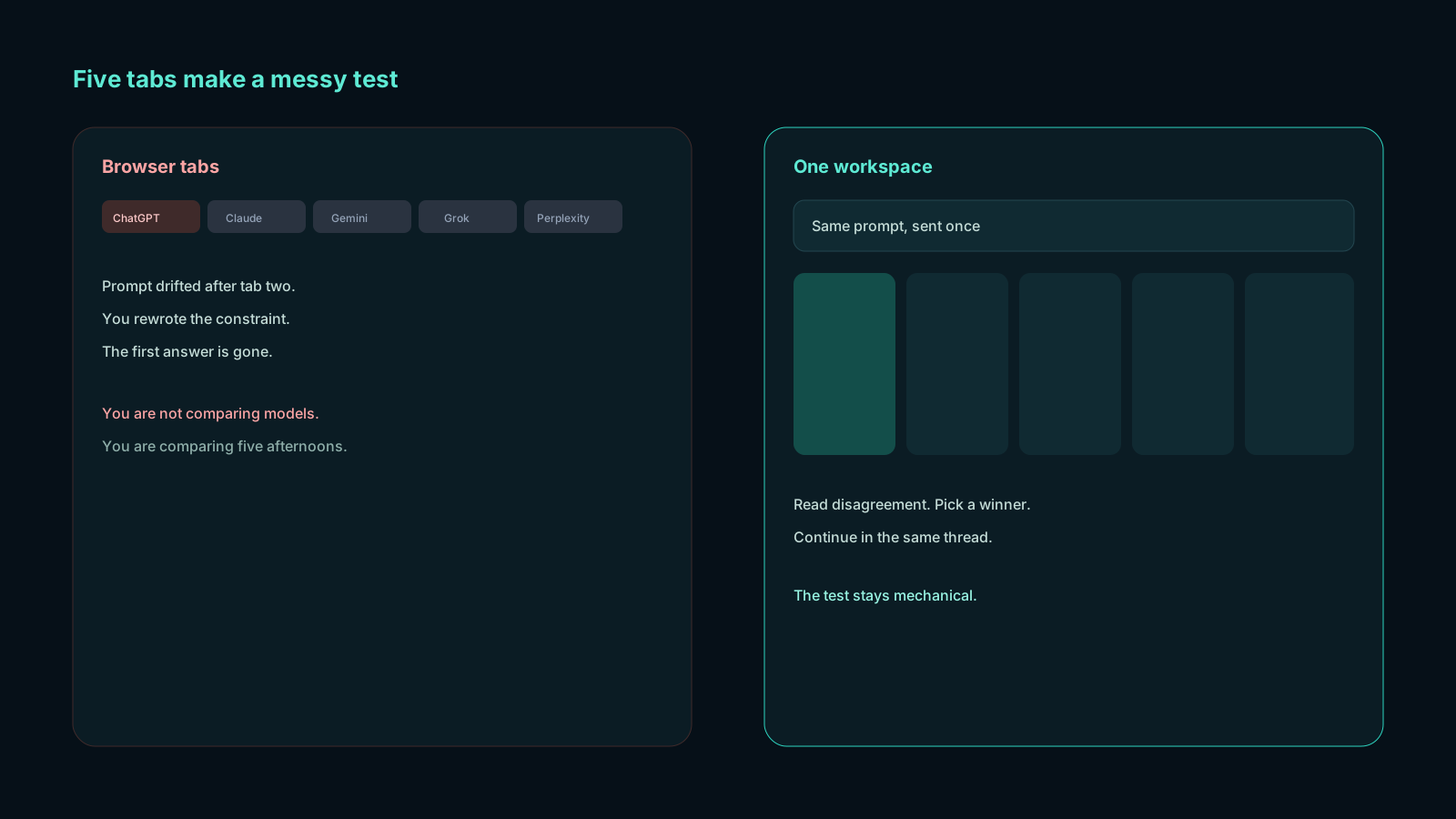
You open ChatGPT and write a careful prompt. Then you open Claude and add “be concise,” because you thought of it late. Then Gemini gets a slightly nicer version of the same idea. Grok gets a shorter paste because you are tired. Perplexity gets a question mark you added without noticing.
You did not compare AI models side by side. You compared five different briefs.
Other ways the tab method lies:
- You remember the funniest answer, not the most correct one.
- Streaming finishes at different times, so you judge the fast model first.
- You lose the first answer under a new scroll.
- You cannot continue with the winner without leaving the comparison behind.
If you have been doing this for months, you already know the feeling: “I think Claude was better, but I closed the tab.” That feeling is the product problem.
How to compare AI models side by side in six steps
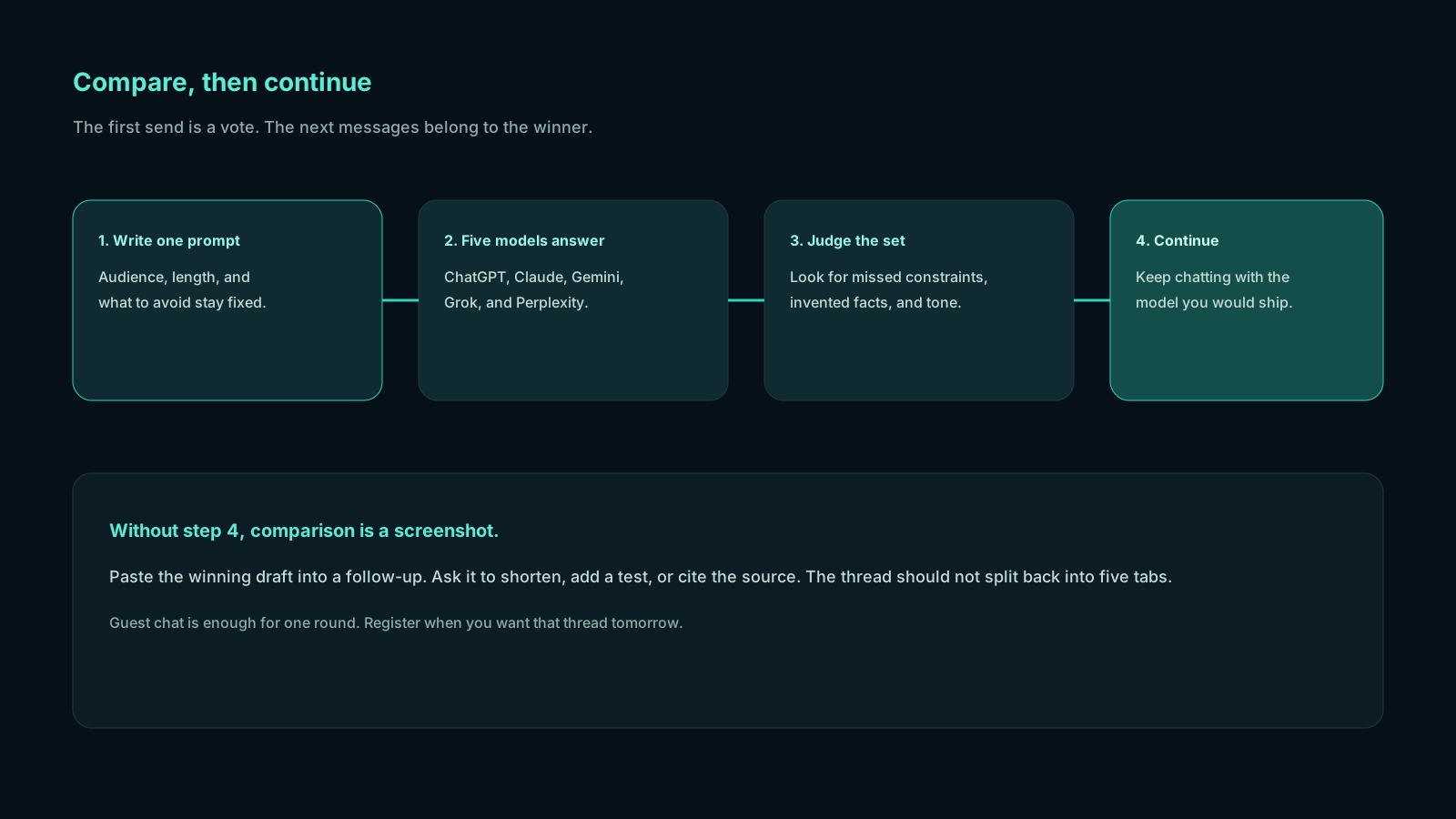
Do this on a task you already have to finish. Do not invent a cute prompt for the internet.
1. Write the prompt as if the model cannot ask follow-ups
Include audience, length, format, and what to avoid. If the output must be a table, say table. If it must not mention prices you did not provide, say that.
Bad: “Write a better intro.” Better: “Rewrite this intro for a Pakistan-based SaaS founder. 90 words. No slogans. Keep the product name. Do not add statistics.”
Paste the source material in the same message. Models cannot compare what you left in another window.
2. Freeze the prompt
Once you hit send, you do not improve the wording for a second model. That is the whole discipline of a side by side AI comparison. If you think of a missing constraint after you read the answers, that becomes round two for every model, or a follow-up with the winner—not a secret edit in one tab.
3. Send it once to all five
In a comparison workspace, one send is the test. ChatGPT, Claude, Perplexity, Gemini, and Grok stream in parallel. You are watching differences in structure and caution, not racing the first token.
Guest chat is enough for a single round. Register later if you want the thread kept.
4. Read with a checklist, not a vibe
Vibe is how you pick a favorite writer. A checklist is how you pick a draft you will stand behind.
Use four questions, in this order:
- Did it follow the constraints?
- Did it invent a fact, quote, library, or date?
- Can I use this structure without rebuilding it?
- Would I put my name on this tone?
If an answer fails question 1, it is out, even if it is eloquent. Eloquence that ignores the brief is a different assignment.
5. Continue with the chosen model
This is the step five tabs cannot do well. You pick a winner and you keep going: “Cut 20%, keep the joke, add a closing question.” The other four answers remain context for your judgment, not a pile of extra chats you will never reopen.
If you only needed ChatGPT and Claude, you can still run all five. The extra three answers are cheap insurance. They also teach you when using ChatGPT and Claude together is enough, and when Perplexity or Grok should stay in the first round.
6. Save the thread if the work continues tomorrow
Register to keep history. Tomorrow-you will not remember which model wrote the paragraph you almost shipped. The thread will.
A scoring sheet you can copy

Keep it in a note. Fill it in 60 seconds. Do not build a spreadsheet religion.
Prompt (paste one line):
Instruction follow (0–2): 0 ignored the format, 1 partial, 2 exact.
Hallucination flags: list any number, citation, or API that was not in your prompt.
Usable structure (yes/no):
Tone (send / rewrite / reject):
Winner for follow-up:
The numbers are only there to stop you from crowning the model that flattered you. A 2 on instruction follow with a dry tone still beats a charming 0.
When you compare ChatGPT and Claude on writing, you will often see Claude win instruction follow and ChatGPT win options-and-energy. That split is normal. Your checklist decides which split you need today.
Sample prompts for a side by side AI comparison
Steal these, then replace the specifics with yours.
Email “Reply to this client email. 110 words max. Confirm the Tuesday deadline. Do not apologize more than once. Do not offer a discount. Tone: calm, specific.” Then paste the email.
Code “This Python function returns the wrong total when the list is empty. Explain the bug in three sentences, then show a patched function. Do not add new dependencies.” Then paste the function.
Research “What is publicly claimed about [topic] on official product pages? List claims as bullets. Mark anything uncertain. Do not invent a year or a price.”
Rewrite “Edit this paragraph for a technical blog. Keep my examples. Cut hedging. Do not add a metaphor I did not write.” Then paste the paragraph.
Run one of these on chat instead of opening five tabs. That is the entire tutorial.
How to run the same prompt without retyping
The mechanical version lives in one place.
- Open chat. Guest is fine.
- Paste a frozen prompt with the source material included.
- Send once. ChatGPT, Claude, Perplexity, Gemini, and Grok stream in parallel.
- Fill the four-question checklist.
- Continue with the model you would actually ship.
- Register to keep history if this task has a round two.
Compare these models on Chativo using a prompt from a real deadline. If side-by-side comparison is weekly work, See packages: Starter $5/month, Plus $10/month, Pro $20/month, with Pakistan-friendly checkout via Safepay.
You do not need a perfect rubric on day one. You need the prompt to stop moving.
Mistakes that fake a comparison
Changing the prompt mid-test. The most common cheat, usually accidental.
Judging the first finished stream as the winner. Fast is not correct.
Asking for “the best answer.” That invites a vibe. Ask for a format.
Using empty prompts. “Write a blog intro” will make every model sound like every other model. Then you will conclude they are all the same.
Hiding the source text. If the model has to guess the email you are answering, you are grading imagination.
Skipping Perplexity on factual questions. A side by side AI comparison that leaves out the research-shaped model is incomplete for anything that depends on the public web.
Skipping Grok on tone. If the job is “sound like a person in a hurry,” Grok is part of the test, not a novelty.
Never doing a follow-up. First drafts are where models look most similar. The second turn is where instruction-following shows.
When it is enough to compare ChatGPT and Claude
You do not owe every task five reads.
Compare ChatGPT and Claude when the job is writing quality, editing, or a careful coding review. Add Perplexity when claims need a public page behind them. Add Gemini when you want a cleaner, more official explainer. Add Grok when you want the short version that does not sound like marketing.
The six-step method still applies. You are only changing how many columns you bother to score. The prompt stays frozen either way. That is still how you compare AI models side by side; you are only scoring fewer columns.
If you are unsure, run five once. Next time you will know which two you actually use.
Frequently asked questions
Straight answers to the questions this article usually raises. Each question is separate from its answer so you can scan on a phone or a desktop.
What is the fastest way to compare AI models side by side?
The fastest honest way to compare AI models side by side is one prompt, sent once, with ChatGPT, Claude, Gemini, Grok, and Perplexity answering in the same view. Anything that makes you retype is slower and less fair.
Can I compare ChatGPT and Claude without the other three?
Yes. Many writing and coding tasks are a ChatGPT-or-Claude decision. Running the extra three still helps on research and tone, and it costs you one send in a five-model workspace.
Why is my side by side AI comparison always a tie?
Your prompt is probably too vague. Add a word limit, a forbidden move, and a source paragraph. Ties happen when every model is free to write a generic essay.
Do I need an account for a one-off comparison?
No. Guest chat will run the prompt. Register when you want history, especially if the follow-up will happen tomorrow.
Is this cheaper than five model subscriptions?
A workspace plan here is Starter at $5/month, Plus at $10/month, or Pro at $20/month. ChatGPT Plus is typically around $20 a month for one model. If your current method is several paid apps plus five tabs, See packages and count the subscriptions you would stop stacking.
Related reading
- How to Reduce AI Hallucinations by Comparing Model Answers
Cross-check ChatGPT, Claude, Perplexity, Gemini, and Grok on the same prompt so invented facts show up before you trust a single reply.
- How to Get Better AI Answers by Comparing Multiple Models
One model is a draft. Several models are a review. Learn how to compare multiple AI models on the same prompt, pick the winner, and continue the thread without tab-switching.
- How to Choose the Right AI Model for Any Task
Match the task to the model, then verify with a live compare. This AI model selection guide shows which AI model you should use for writing, coding, research, and fast answers.