ChatGPT, Claude, Gemini, Grok, and Perplexity in One App
9/12/2026 · Chativo Editorial · 8 min read
People who search ChatGPT Claude Gemini Grok Perplexity in one app want a single workspace, not five bookmarks. You type one prompt; ChatGPT, Claude, Perplexity, Gemini, and Grok stream live answers; then you continue with the model that won. That is the product: a comparison workspace, then a normal chat with the chosen provider.
Chativo is built for that sequence. It is a product of MB Stack Company. You can try guest chat without an account. Register when you want history. Paid plans are Starter at $5 per month, Plus at $10, and Pro at $20, with Safepay for customers in Pakistan.
What you actually get in one workspace

“All AI models in one place” can mean a dropdown with twenty names and a single stream. That is a switcher. A switcher still makes you guess. The more useful version runs the first message in parallel so you can see the field, then locks to one model for the rest of the thread.
In practice the screen does three jobs:
- You type a prompt once.
- ChatGPT, Claude, Perplexity, Gemini, and Grok stream as separate cards.
- You continue with the card you trust, and later turns go to that provider only.
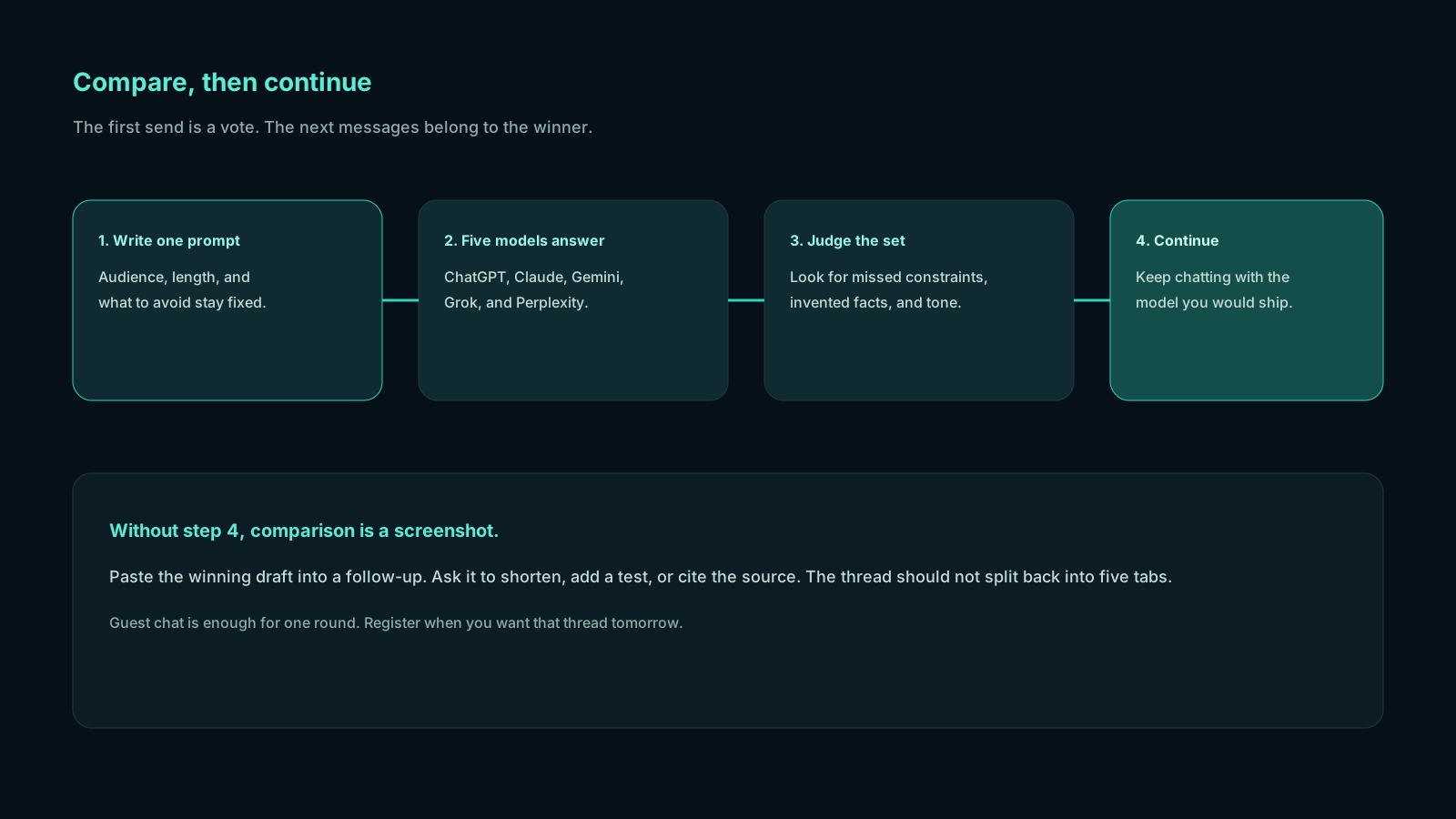
The continue step is the part most “one app for all AI chatbots” pages skip. Without it, you have a screenshot. With it, you have a working session: edits, follow-up questions, “make this shorter,” “add a table,” “now write the email.”
It is not an image studio, not an IDE agent, and not a replacement for every specialized tool. It is the chat layer where you decide which model to live with for the next hour. For category context, see the multi-model AI chat platform overview and the Chativo review.
ChatGPT Claude Gemini Grok Perplexity in one app
Here is the loop behind ChatGPT Claude Gemini Grok Perplexity in one app, without extra chrome.
Open compare chat. Paste the real task, not a toy question. Watch five answers arrive. Read for collisions: facts that appear once, tones that would embarrass you, missing steps, stronger structure. Pick a winner. Keep going.
A good first prompt is specific:
“Draft a one-page plan to [goal]. Audience: [who]. Constraints: [budget, tools, deadline]. Give numbered steps, risks, and what you are unsure about.”
Because the wording is identical, differences come from the models, not from you accidentally improving the prompt on tab four. That is the whole trick. People think they are “comparing models” when they are comparing five slightly different questions. One app that fans the same string out to five providers removes that bias.
After you continue, stay strict. If you need a fresh five-way vote, start a new compare turn rather than assuming the chosen model still represents the committee. The committee was the first message. The rest is a collaboration with one system.
All AI models in one place vs five browser tabs
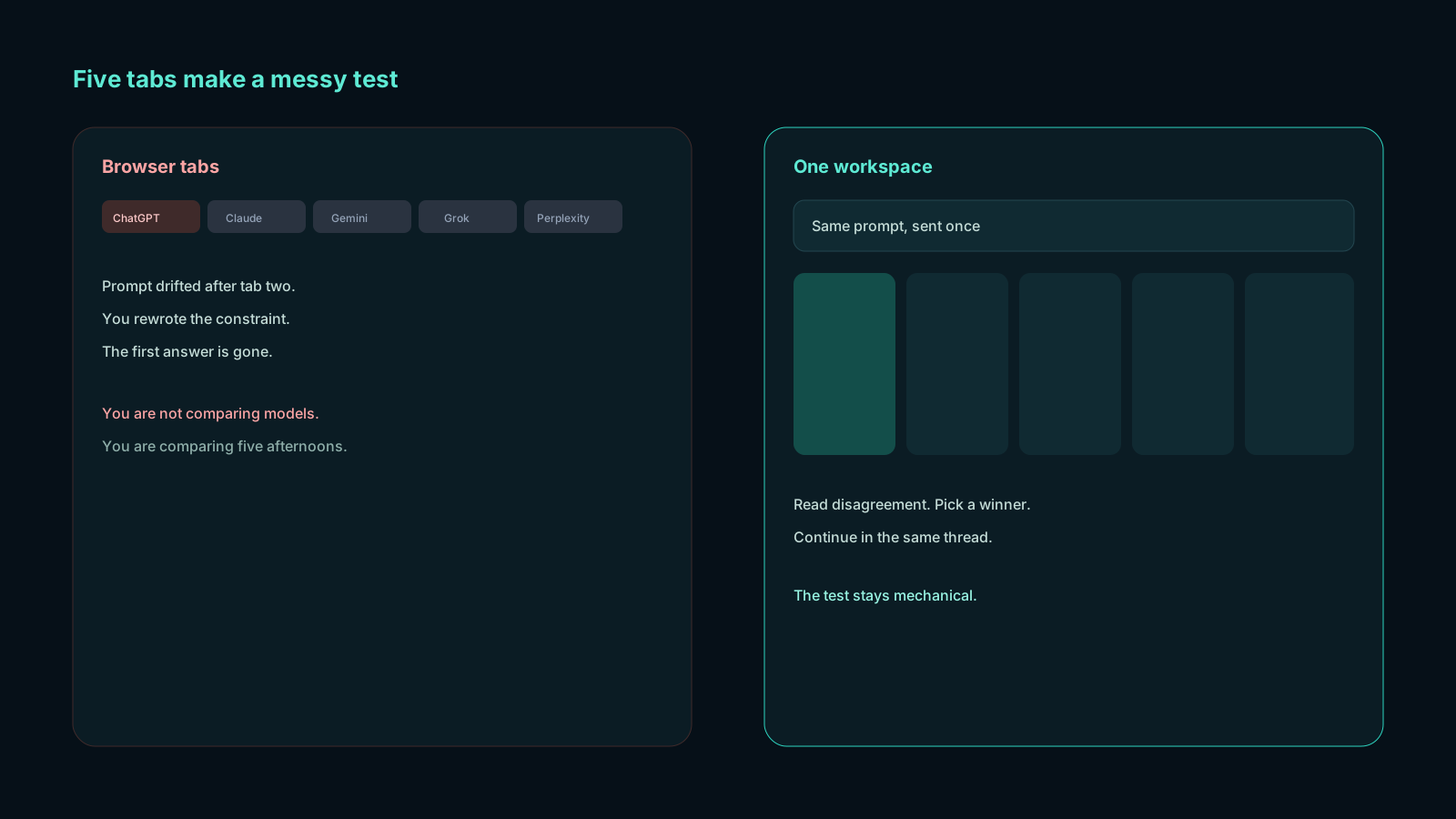
Tabs feel free until you try to work. You copy a prompt into ChatGPT, then Claude, then remember Perplexity exists, then lose which window had the decent intro. Histories diverge. You cannot show a colleague “here are the five answers to the same brief” without a collage.
All AI models in one place, in the sense that matters, means shared context at the start:
| Pain with separate apps | What a compare workspace changes |
|---|---|
| Five pastes of the same prompt | One send |
| Different prompt drift | Identical input |
| No single screenshot of the field | Five cards on one screen |
| Winner lives in another product | Continue with the winner in the same thread |
| Guest curiosity requires five sign-ins | Guest chat for a first look |
| Paid stack of several chat subscriptions | One package if compare is the job |
You still may keep a specialist account. Developers will still open an IDE agent. Researchers will still open primary sources. The app is the decision surface, not a claim that every AI product on earth now lives in the sidebar.
If you want model-by-model strengths in writing rather than in product chrome, read ChatGPT vs Claude vs Gemini vs Grok vs Perplexity. Use this page to understand the shell those models run in.
One app for all AI chatbots, without losing the continue step
“One app for all AI chatbots” is a search people type when they are tired of logos. The risk is buying a directory. Directories are easy to market and slow to work in.
The continue step is the test. After you like Claude’s outline, can you say “expand section 3 with examples” without rebuilding the conversation in the Anthropic app? After you like Perplexity’s links, can you ask “turn these sources into a skeptical briefing” with that same provider? If the answer is no, you have a gallery.
Chativo’s design is gallery, then workshop. First message: five providers. After you choose: one provider, streaming, in the same chat UI. That is closer to how people already work when they finally pick a favorite tab. The difference is you picked with evidence from the same prompt.
Guest users can run that loop to see if it fits. Create an account to keep the transcript. Plus ($10/month) is the plan aimed at daily work, with projects to group threads. Starter ($5) is the lighter compare habit. Pro ($20) is the higher-allowance tier. None of the plans require you to pick a “main” model for life. Your main model can change every prompt.
What each model is usually strong at
Qualitative, not a scoreboard. Your prompt may disagree.
- ChatGPT — A strong default for outlines, mixed tasks, and “give me three options.” Often the easiest card to continue from when you need a generalist.
- Claude — Often the most careful long prose and the most comfortable with caveats. A frequent winner for memos, sensitive language, and structured explanations.
- Perplexity — The usual live-web card. Use it when the question depends on current pages, then still open the links.
- Gemini — Often useful for broad, practical plans and Google-shaped questions you describe in text. Worth a look whenever the other cards feel too literary or too terse.
- Grok — Often the most direct. Useful when you want a shorter draft or a less ceremonial critique.
These are tendencies, not guarantees. The reason they sit in one app is that tendencies fail. The model you “always use for email” will occasionally write the wrong email. Seeing the other four cards is cheaper than sending it.
For the idea behind the category, what a multi-LLM chat platform is is the companion explainer. This article is the product-shaped version: five named models, one composer, one continue button.
Guest chat, accounts, and what you pay for
You do not need a speech about “getting started.” You need to know the doors.
- Guest chat — Try the compare grid without turning it into an account setup project.
- Register — Keep history, return to threads, and manage a real workspace.
- Starter, $5/month — Full five-model compare, history sync, email support. For light sessions.
- Plus, $10/month — Adds projects, organization, and priority streaming. The daily-work default for most people who compare often.
- Pro, $20/month — Highest usage allowance, early feature access, dedicated support lane.
- Safepay — Checkout for Pakistan. Packages are listed in US dollars.
Pay for the habit you will actually keep. If you compare once a month, guest or a light plan may be enough. If you compare every brief, the Plus tagline (“best for daily work”) is the honest one. If you are stacking several full-price chat subscriptions only to sample voices, look at whether one compare workspace replaces that stack.
Run the five-model grid on a prompt from your real queue. If you already know you want a package, open pricing.
What this app is not
Honesty keeps the page useful.
It does not generate your product screenshots, train a private model on your vault, or replace a human editor. It does not make five models agree, and agreement would not prove they were right. It does not wrap every tool called “AI” in 2026: image generators, slide builders, and in-editor coding agents still live elsewhere.
If your job is “I only want ChatGPT, forever, in the official app,” stay there. If your job is “I want ChatGPT, Claude, Gemini, Grok, and Perplexity in one app so I can choose,” this is the shape of that job.
Frequently asked questions
Straight answers to the questions this article usually raises. Each question is separate from its answer so you can scan on a phone or a desktop.
Can I use ChatGPT, Claude, Gemini, Grok, and Perplexity in one app without opening extra tabs?
Yes. That is the point of the compare workspace. You send one prompt, read five cards, and continue with the winner. You are not required to keep five official apps open for the first look.
Is this the same as having all AI models in one place?
It is all of the five chat models the product runs, in one place, for that first message. It is not a promise that every model on the internet is indexed in a sidebar. “All AI models in one place” here means the set you actually compare: ChatGPT, Claude, Perplexity, Gemini, and Grok.
Why not use one app for all AI chatbots by bookmarking five sites?
Because the prompt drifts and the histories split. A bookmark folder is not a compare grid. One app for all AI chatbots only pays off if the first turn is parallel and the next turns can follow the winner.
Do I need an account to compare the five models?
No. Guest chat is enough to see the grid. Create an account when you want saved threads and a package. You can look at pricing when the workflow is clearly going to repeat.
What happens after I pick a winner?
The chosen answer becomes the assistant turn for that chat, and later messages stream from that provider. If you want another five-way vote, start a new compare. Try it on a live prompt rather than imagining the layout.
Related reading
- Best Side-by-Side AI Comparison App for Daily Work
A side by side AI comparison app should stream several model replies on one prompt, then let you continue with the winner. Here is what daily work actually needs: parallel chat, projects, and guest mode.
- What Is a Multi-LLM Chat Platform and Why Teams Are Switching
A multi-LLM chat platform runs several language models in one workspace so you can compare answers and continue with the one you trust. Here is what the category is, and why people use it.
- Best Multi-Model AI Chat Platform in 2026
The best multi-model AI chat setup is comparison-first: one prompt, five live answers from ChatGPT, Claude, Gemini, Grok, and Perplexity, then a follow-up with the model you choose.